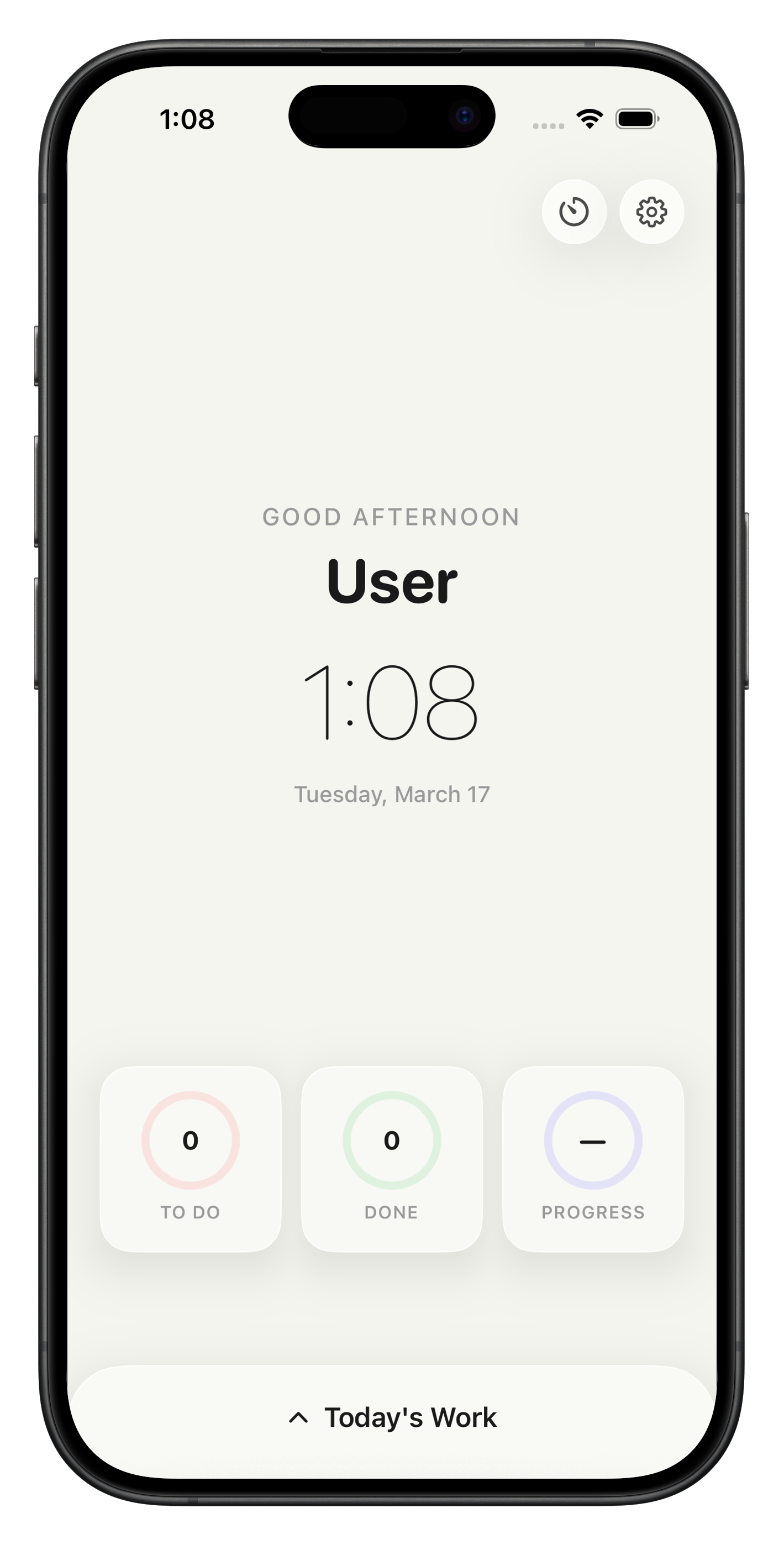
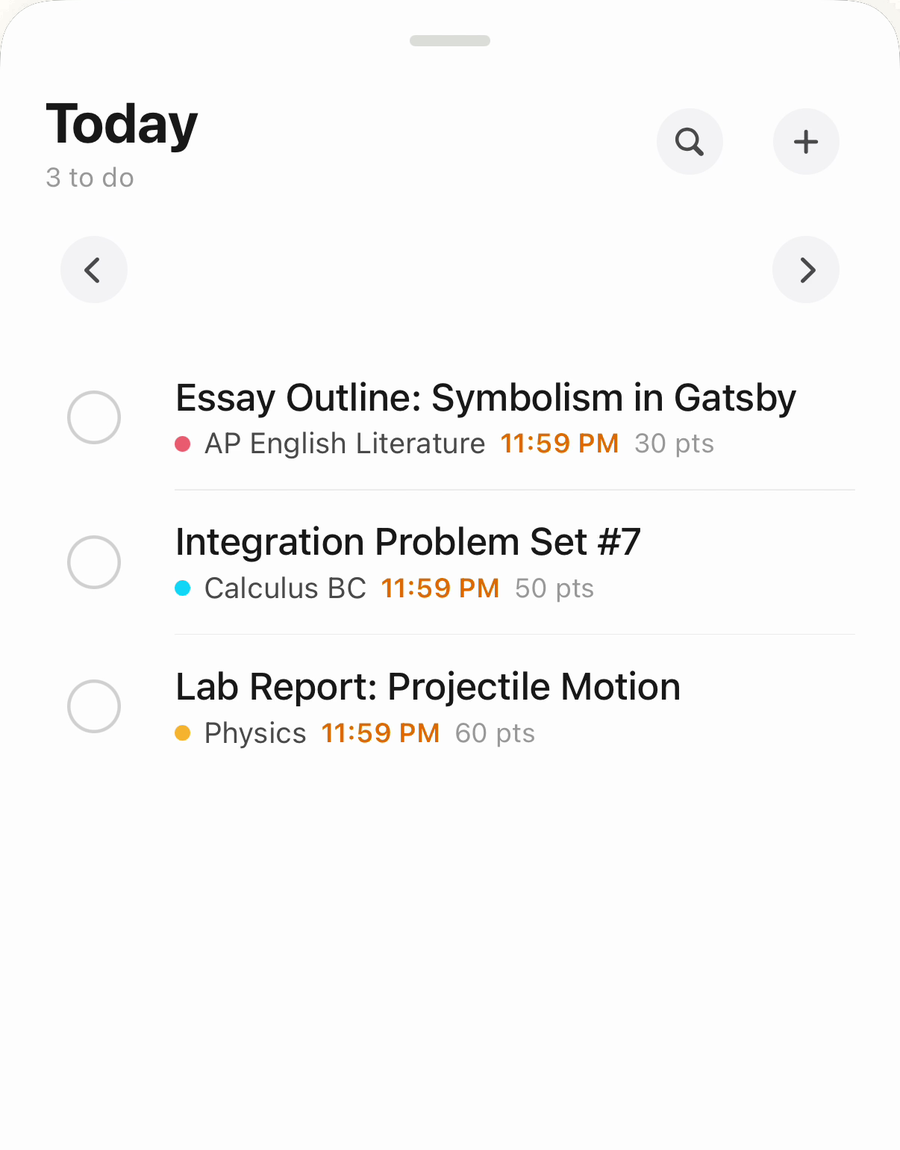
The Homework App keeps every assignment, due date, and grade in one calm place — synced from your school, broken into steps, and checked off before it's late.
Built for students. No clutter, no guilt. Just what's due and what to do next.
01
Track every assignment
Add homework in seconds, color it by class, and see exactly what's due today, tomorrow, and this week.
02
Connect your school
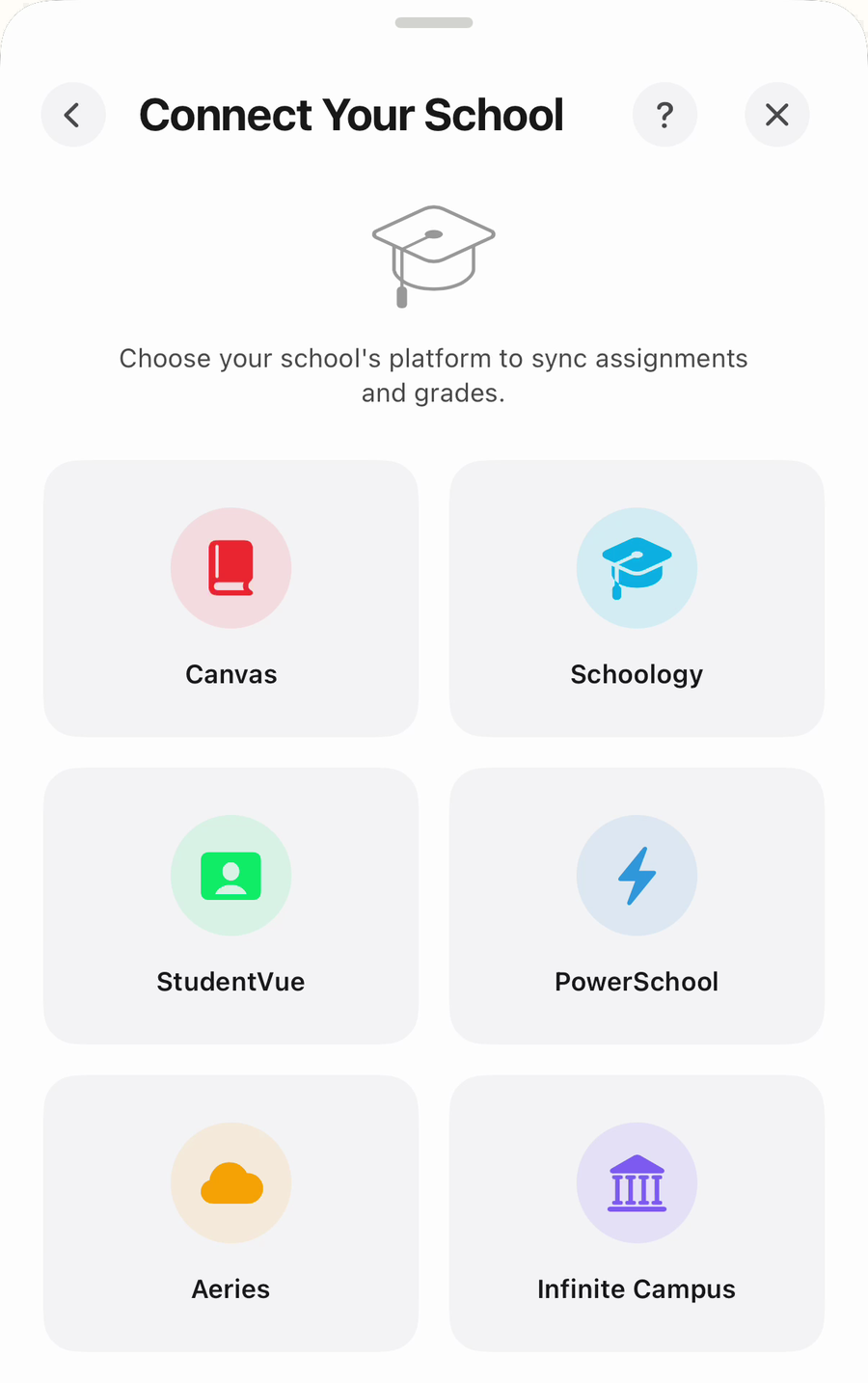
Pull assignments and grades straight from Canvas, Schoology, PowerSchool, StudentVue and more.
03
See every grade
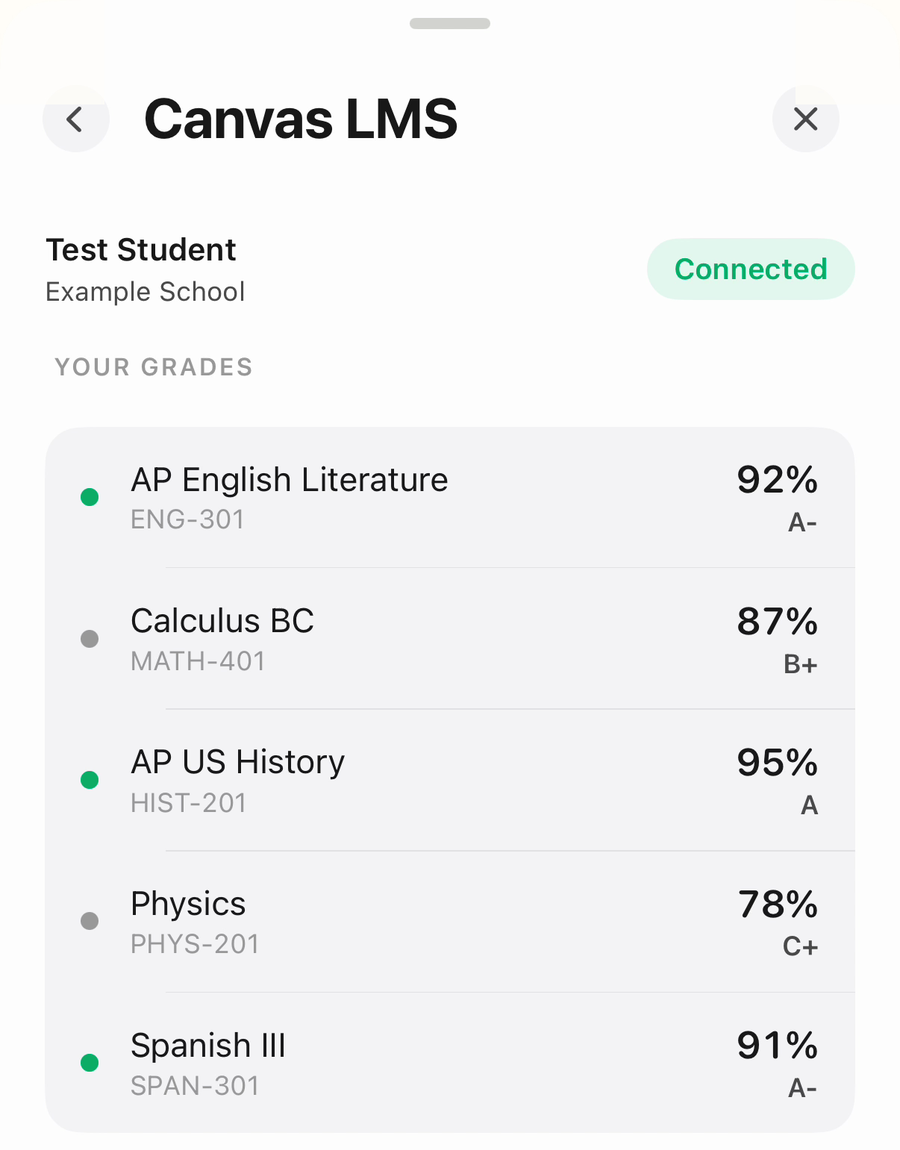
Live grades by class, with a what-if calculator so you know exactly what you need on the next test.
04
Break it into steps
Snap a photo of the worksheet and get a checklist of what to actually do, one small step at a time.
05
Study timer & alarms
Focus sessions that survive closing the app, and a real alarm that keeps ringing until you deal with it.
06
Reminders & streaks
Get nudged before something's due, not after, and build a streak for every day you finish your work.
Works withCanvasSchoologyPowerSchoolStudentVueAeriesInfinite Campus
Connect your school
Your assignments, already in the app.
Sign in once and The Homework App pulls your classes, due dates, and grades from your school's own site — then keeps them up to date on its own.
Six platforms. One sign-in.
Pick your school, sign in the way you always do, and your classes, due dates, and grades land in the app — sorted, color-coded, and kept up to date on their own.
Your password stays in your iPhone's Keychain. It never touches our servers.
STEP 1
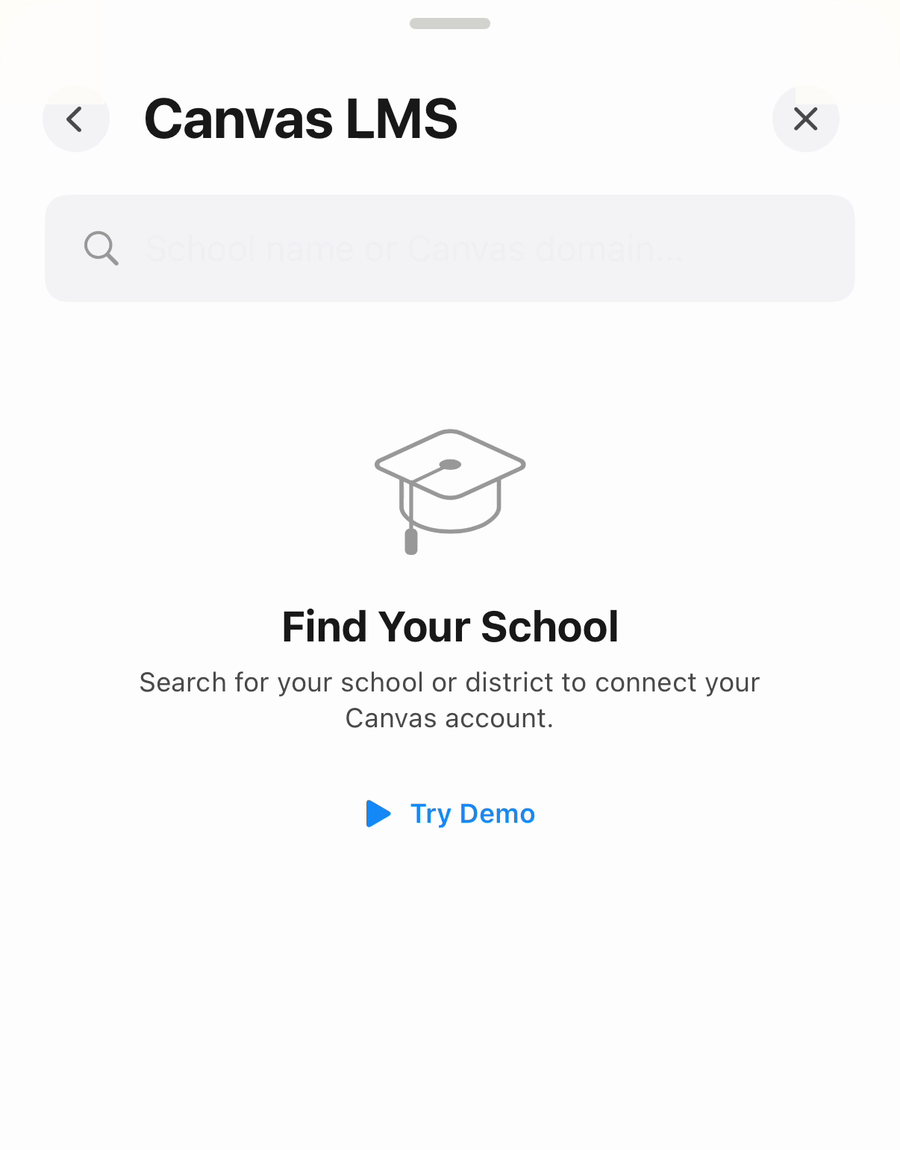
Find your school
Search your school or district by name. Not sure yet? Try the demo first and see the whole thing working.
STEP 2
Sign in once
Your classes and live grades come across straight away, and the app keeps them current without being asked.
STEP 3
Just check things off
Every assignment lands sorted by due date and colored by class, so opening the app tells you what to do next.
How it works
Three steps. Zero stress.
STEP 1
Download the app
Grab The Homework App free from the App Store on your iPhone or iPad.
STEP 2
Add your classes
Connect your school platform or add assignments yourself. Takes about a minute.
STEP 3
Check it off
Open the app, see what's due, get it done. That satisfying tick never gets old.
About the app
Made by a student who was tired of forgetting homework.
The Homework App started as a fix for a real problem: assignments scattered across Canvas, handouts, group chats, and sticky notes. Things slipped through the cracks.
So we built one place for all of it. Clean, fast, and designed to make school feel a little more under control. Your school passwords stay on your device, and we never sell your data.
Today
English essay outline
Chem worksheet p. 42
Study for history quiz
Chapter 7 reading notes
Questions
Good questions, honest answers.
Still stuck?
Ask us anything about setup, school sync, or Pro. A real person replies.
Yes, it's free to download and use for tracking your assignments. An optional Pro subscription unlocks extras like school sync, the grades dashboard, reminders, and alarms.
Canvas, Schoology, PowerSchool, StudentVue, Aeries, and Infinite Campus. You can also add everything by hand if your school uses something else.
Your school credentials are stored only in your device's secure Keychain and are sent only to your school's own servers. They never touch our servers.
Yes. The Homework App runs on iPhone and iPad with a layout made for the bigger screen.
Not yet. We're focused on making the iOS app great first. Email us if you'd like to hear when Android is ready.
Contact us
Raise your hand. We'll answer.
Found a bug, have a feature idea, or need help connecting your school? We read every message, usually within a day.
 The Homework App